End-to-End Exam Evaluation: From Physical Answer Books to Published Results
How MAPLES OSM manages the complete answer book lifecycle — inwarding, scanning, quality control, evaluation, moderation, result processing, and delivery — so institutions don't have to worry about a thing.
The Problem: A Fragmented Evaluation Process
Most universities treat exam evaluation as a series of disconnected steps. Physical answer books arrive at a central location. Someone counts them. Someone else scans them — maybe using a different vendor's system. Scanned images are loaded into an evaluation platform. Results are exported to a spreadsheet, manually checked, and uploaded to the university's student portal.
At every handoff, things go wrong. Booklets go missing between inwarding and scanning. Scanned images fail quality checks but nobody re-scans them. Evaluator credentials are sent by one team while another team manages assignments. Result totals are manually verified in Excel because the evaluation system doesn't talk to the result system.
MAPLES OSM eliminates every one of these handoffs. The entire lifecycle — from the moment a physical answer book arrives to the moment a student sees their result — runs on a single platform with a single audit trail.
The Complete Pipeline
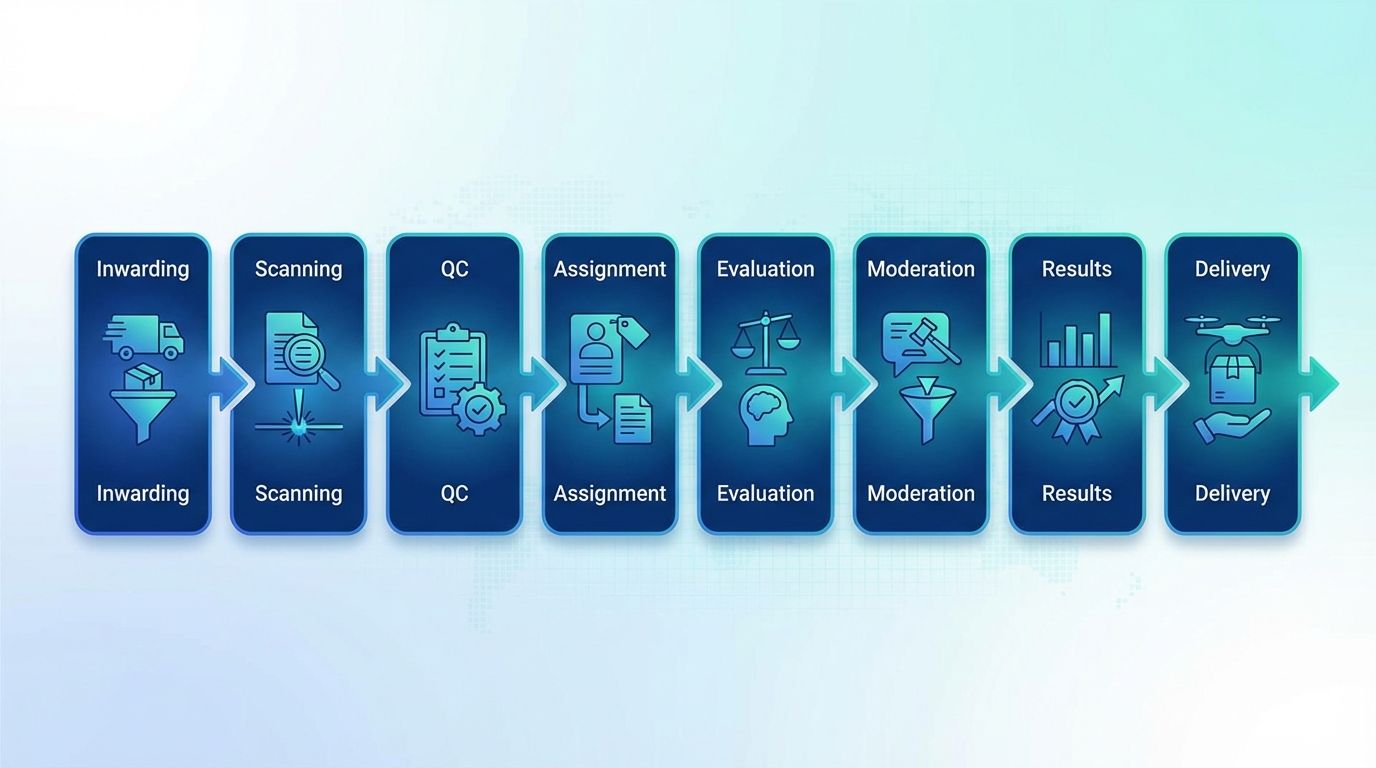
Complete evaluation pipeline stages
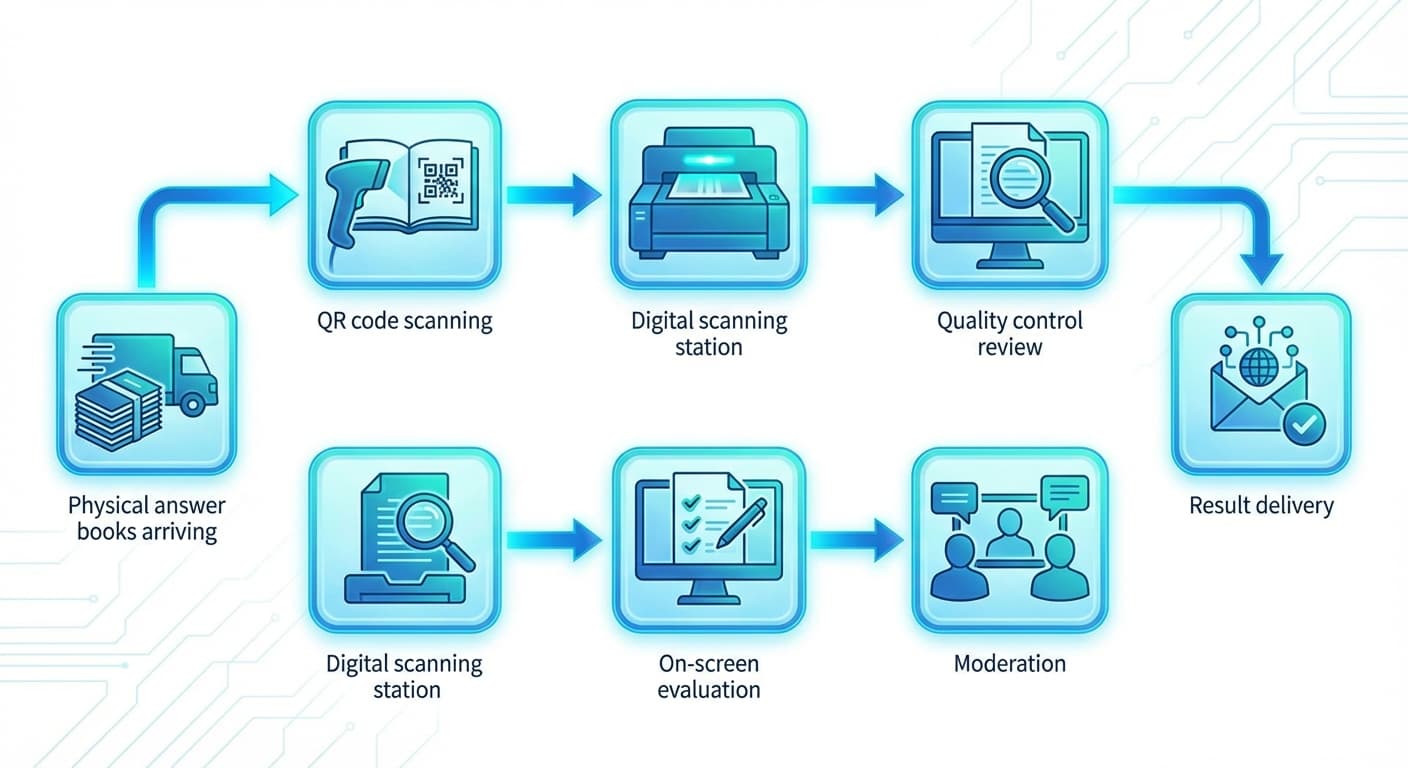
Here's how the end-to-end workflow operates:
`
Physical Receipt → QR Scan (Inward) → Digital Scanning → QC Review →
When answer books arrive from exam centres, the first step is inwarding — registering every booklet into the system.
How It Works
Each answer booklet has a QR code sticker on its cover (generated and printed from the system itself)
Inward operators scan the QR code with a handheld scanner or the camera
The system instantly registers the booklet — recording which batch it belongs to, which subject, which exam centre it came from, and the timestamp of receipt
Booklets are organized into batches of 50 for efficient processing downstream
What the Institution Gets
Real-time visibility into how many booklets have been received vs expected
Subject-wise inwarding progress dashboards
Batch-wise tracking that follows the booklet through every subsequent stage
Complete chain of custody from physical receipt onwards
No spreadsheets. No manual register. No miscounting.
Stage 2: Scanning — Digitizing Answer Books
Once inwarded, booklets move to scanning stations where they're converted from physical paper to high-resolution digital images.
How It Works
Scanning stations use overhead cameras — no expensive scanner hardware needed
The operator opens a booklet on a dark mat under the camera
MapleScan (the scanning module) automatically:
- Detects the spine and splits left/right pages
- Corrects perspective distortion
- Reads QR codes (batch + booklet identification) on the first page
- Validates Code128 barcodes on pages 3-32 for correct page ordering
Auto-capture mode detects page flips and captures hands-free
Every page is saved locally and to Cloudflare R2 simultaneously — dual storage for zero data loss
Scale
A 32-page booklet is scanned in under 2 minutes
40+ scanning stations have been load-tested running concurrently
The scanning dashboard shows real-time progress by subject, batch, and operator
Scanner performance reports track hourly, daily, and weekly throughput
Stage 3: Quality Control — Catching Issues Before Evaluation
Not every scan is perfect. The QC stage ensures evaluators receive clean, readable images.
How It Works
QC operators are automatically assigned booklets to review (with 30-minute timeout locks to prevent bottlenecks)
They inspect scanned pages in grid views — 2, 4, or 8 pages at a time
For each booklet, they either approve or flag specific pages
The re-evaluation result is processed through the same validation pipeline
Stage 8: Result Delivery
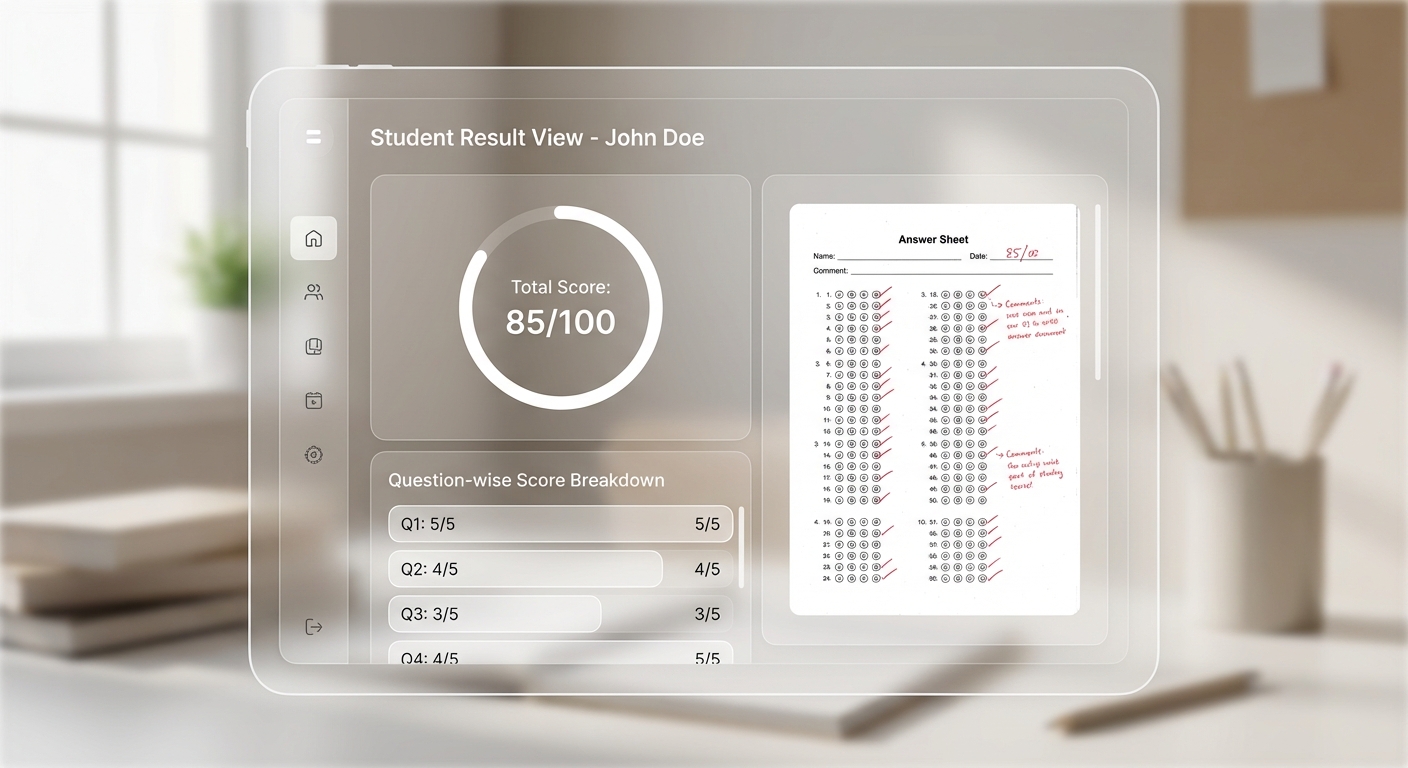
Student result view with score breakdown
— Reaching Students
The final stage — getting results to students.
How It Works
Results are published to the student portal where students login with OTP authentication
Students see their evaluated answer sheets with question-wise score breakdowns
Transparency — students can see exactly how each question was marked
Email notifications — result availability notifications sent to students
Result delivery tracking — the system tracks which students have accessed their results
Why End-to-End Matters
The power of managing the complete workflow isn't just convenience — it's the elimination of data loss, the creation of a single audit trail, and the ability to track a single answer book from physical receipt to student result.
For the Controller of Examinations
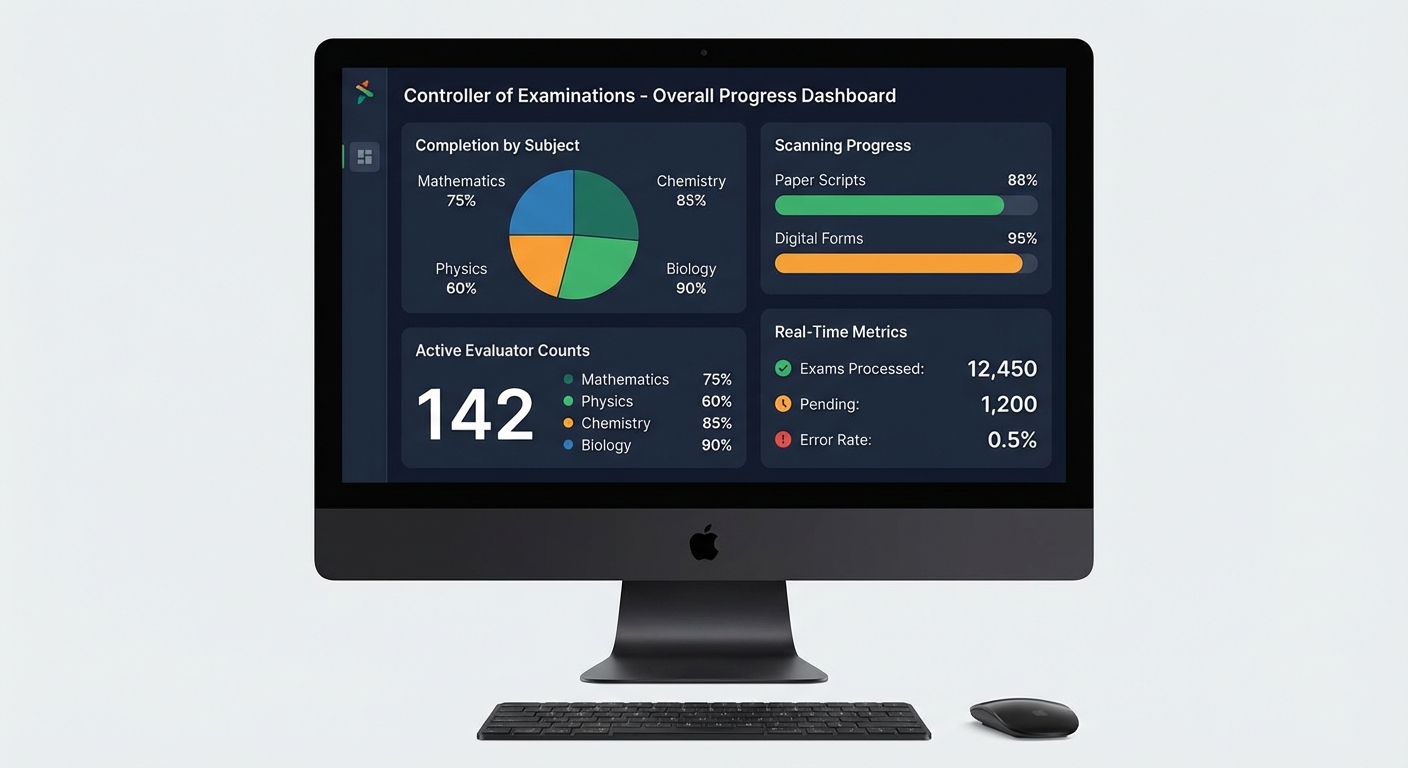
COE dashboard with real-time metrics
One dashboard showing the status of every answer book in the pipeline
No calls to vendors asking "where are my scanned images?"
No Excel reconciliation between scanning vendor data and evaluation system data
Complete audit trail for RTI compliance
For the Institution
Faster result timelines — no handoff delays between disconnected systems
Lower cost — no multiple vendor contracts for scanning, evaluation, and result processing
Fewer errors — automated validation catches issues that manual processes miss
Real-time visibility — progress dashboards at every stage
The Numbers
MAPLES OSM has processed this complete pipeline for:
5,00,000+ answer books evaluated end-to-end
16 million+ pages scanned and quality-checked
11,000+ evaluators managed through the system
4,000+ concurrent evaluations at peak load
When we say end-to-end, we mean it. From the moment the first answer book arrives to the moment the last student views their result — it's all one system, one team, one platform.